Frequently Asked Questions About Senior Computer Training in Tulsa
What is senior computer training?
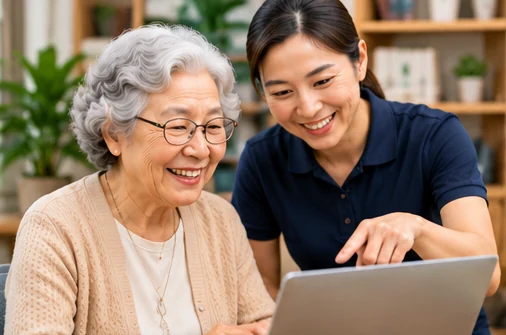
Senior computer training provides step-by-step instruction to help older adults develop practical technology skills. Lessons may cover computer basics, email, internet browsing, video calling, smartphones, tablets and online safety.
Where can I find computer classes for seniors in Tulsa?
ElderNext helps older adults and families explore participating computer instructors and technology training providers serving Tulsa, Oklahoma. Available options may include private lessons, community programs and virtual sessions.
Are computer training classes suitable for complete beginners?
Yes. Many senior-friendly computer lessons begin with basic skills such as turning on a computer, using a mouse, typing, opening programs and navigating the internet. Tell the instructor about your experience level before booking.
Can a computer trainer come to my home in Tulsa?
Some participating instructors may offer in-home computer lessons in Tulsa. Availability, travel areas, equipment requirements and additional fees depend on the provider.
Can seniors learn how to use email and the internet?
Yes. Training may include creating an email account, sending messages, attaching photos, searching the web, managing browser tabs and understanding basic internet safety.
Can a trainer teach seniors how to use Zoom or FaceTime?
Depending on the instructor’s expertise, lessons may cover Zoom, FaceTime, Microsoft Teams and other video communication applications. Participants can practise making calls, joining meetings and adjusting camera or microphone settings.
Do computer training services also cover smartphones and tablets?
Some providers offer instruction for smartphones and tablets alongside computer lessons. Supported devices and operating systems vary by trainer, so mention whether you use an iPhone, Android phone, iPad or another device.
Can computer training help seniors recognize online scams?
Digital safety lessons may teach participants to identify suspicious emails, phishing attempts, fraudulent messages and unsafe websites. No training can eliminate every risk, but practical awareness can help seniors make more informed decisions online.
Should I share my passwords or banking PINs with a trainer?
No. You should not disclose passwords, banking PINs, one-time verification codes or other confidential credentials to a trainer. A suitable instructor can explain account procedures while allowing you to enter sensitive information privately.
Do I need my own computer or tablet for training?
Equipment requirements depend on the provider. Some instructors may use the participant’s existing device, while community programs may have computers available. Confirm equipment arrangements before your session.
Are online computer training sessions available for seniors?
Virtual training may be available through participating instructors. Remote sessions generally require an internet connection and a device capable of joining the lesson. Beginners may need initial assistance connecting.
How long does a senior computer training session last?
Session duration varies by provider and learning goals. Some participants prefer shorter lessons with breaks, while others choose longer sessions for more detailed instruction. Discuss your preferred pace before booking.
How much does computer training for seniors cost in Tulsa?
Pricing varies by instructor, session length, training format and location. Some community programs may offer free or lower-cost digital literacy activities, while private or in-home lessons may have separate fees.
Can computer lessons be adapted for seniors with vision or hearing difficulties?
Some instructors may help participants use larger text, screen magnification, audio adjustments, captions and other accessibility features. Share your needs in advance so the provider can discuss suitable accommodations.
Are senior computer training services available throughout Tulsa?
Participating instructors may serve northwest, northeast, southwest and southeast Tulsa, as well as selected nearby communities. In-home coverage, class locations and online availability vary by provider.
Can family members arrange computer lessons for an aging parent?
Yes. Family members and caregivers can help coordinate technology training with the older adult’s consent. Share the participant’s devices, experience level, learning goals and preferred schedule when requesting lessons.
Does ElderNext provide computer training directly?
ElderNext is a marketplace that helps older adults and families discover participating computer training providers. Individual instructors are responsible for the lessons, scheduling, pricing and services they offer.